Kenrook Docs

Document organizer with tags and notes A library for your documents, not a new home for them.

Collections, tags, notes and Markdown in one window, built on private search. Your files stay exactly where they are, and Docs keeps track of them if they’re renamed or moved.

Windows 11 + macOS · In development
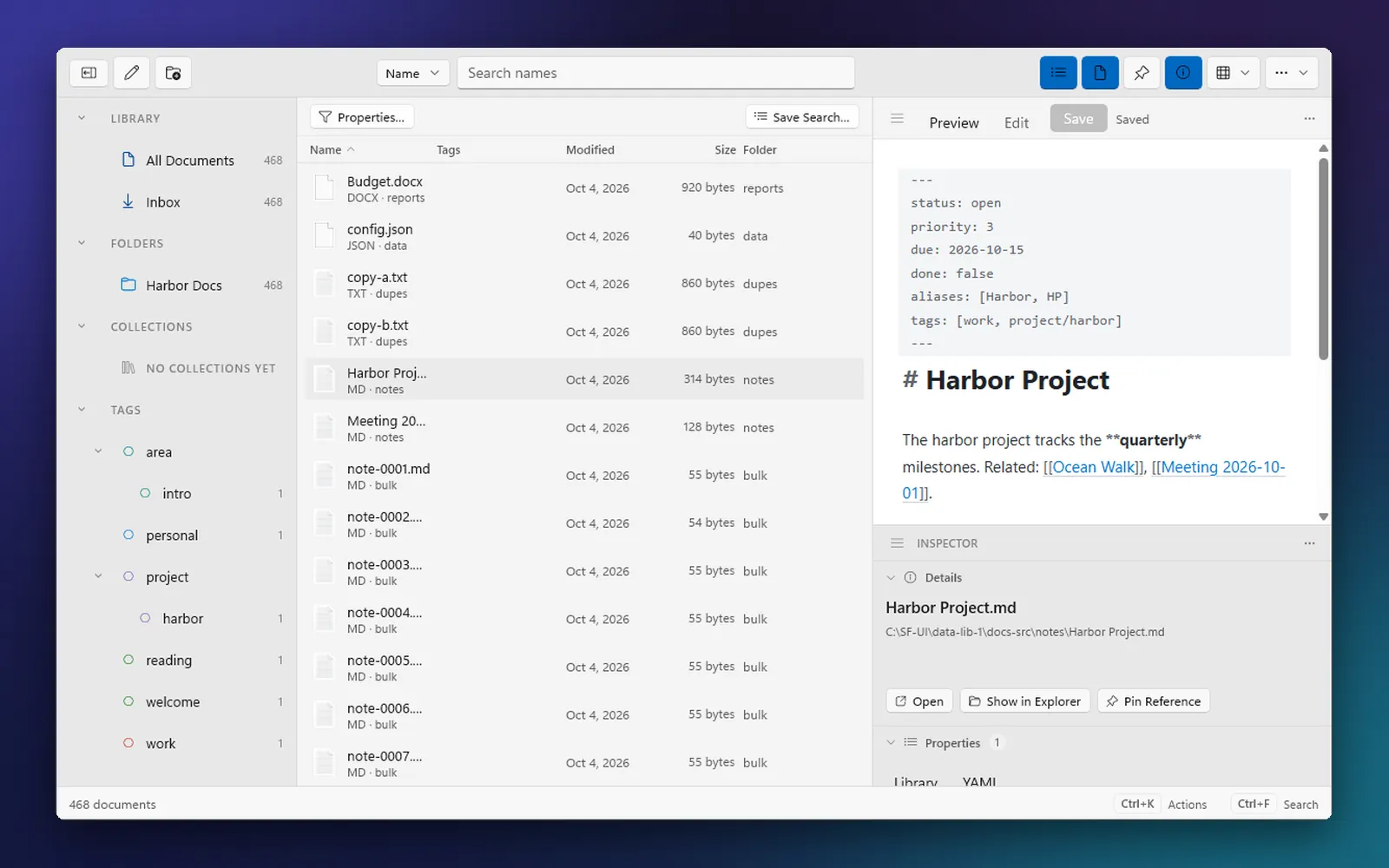
Fig. 1 / The Docs library · pre-release

The Docs library window on Windows 11: folders, collections and tags in a sidebar, a list of documents, and a Markdown note open with its front matter and links to other notes.
The library on Windows 11. Folders, collections and tags on the left, your documents in the middle, and a Markdown note open on the right.
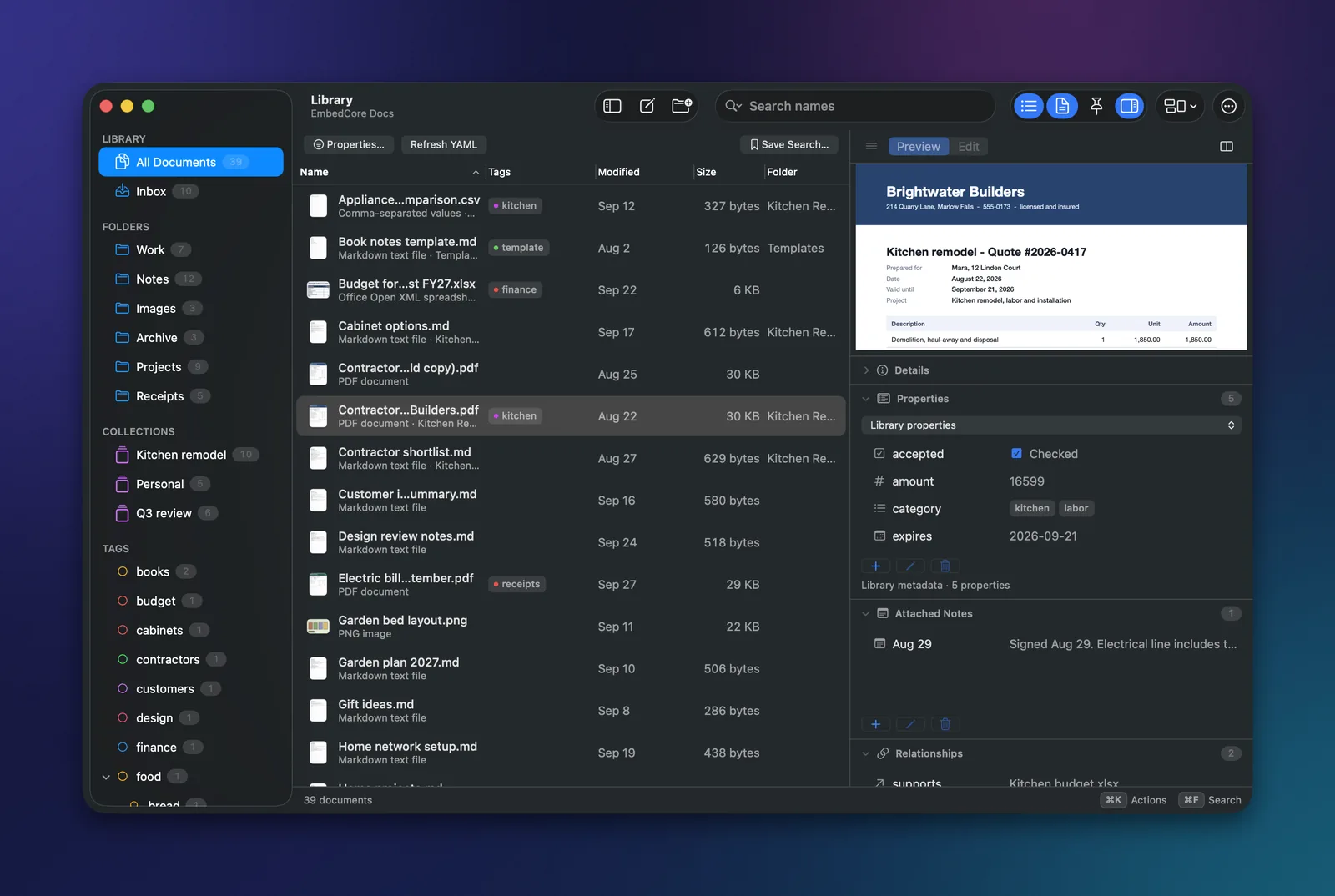
The Docs library window on macOS with folders, collections and tags in the sidebar, a document list, a contractor quote preview and its custom properties.
The library on macOS. A contractor quote previewed beside its custom properties.

01What it does

Organize everything. Move nothing.

Docs is a library window over the folders you already have. It adds structure on top of your files instead of copying them into an app.

Collections, tags and saved searches
Group documents from any folder, nest tags, and keep the searches you use often one click away. Nothing is copied or moved.
Custom properties
Add your own fields to anything from contracts to client notes, then sort and filter by them.
Search by meaning
Find a document by what it’s about, even when you can’t remember a single word it uses.
Keeps track of moved files
Rename or move a file in Finder or File Explorer, and Docs is built to keep its tags and notes attached.
Safe by design
See changes before they happen and undo mistakes. Deleted files go to the Trash or Recycle Bin.
Backups and searchable PDFs
Back up your library and how it’s organized, and turn scans into searchable copies while the originals stay untouched.

02Notes

Notes that link to your files.

Write in plain Markdown, right beside the documents a note is about. Notes stay ordinary .md files you can open in any editor.
Wiki links and backlinks
Link notes to each other and to documents, and see everything that links back.
Front matter and typed properties
Give a note dates, tags, people or your own fields, then filter the library by them.
Side by side
Keep a scan or PDF open next to the note you’re writing, and arrange the workspace the way you work.

Fig. 2 / A note, on macOS · pre-release

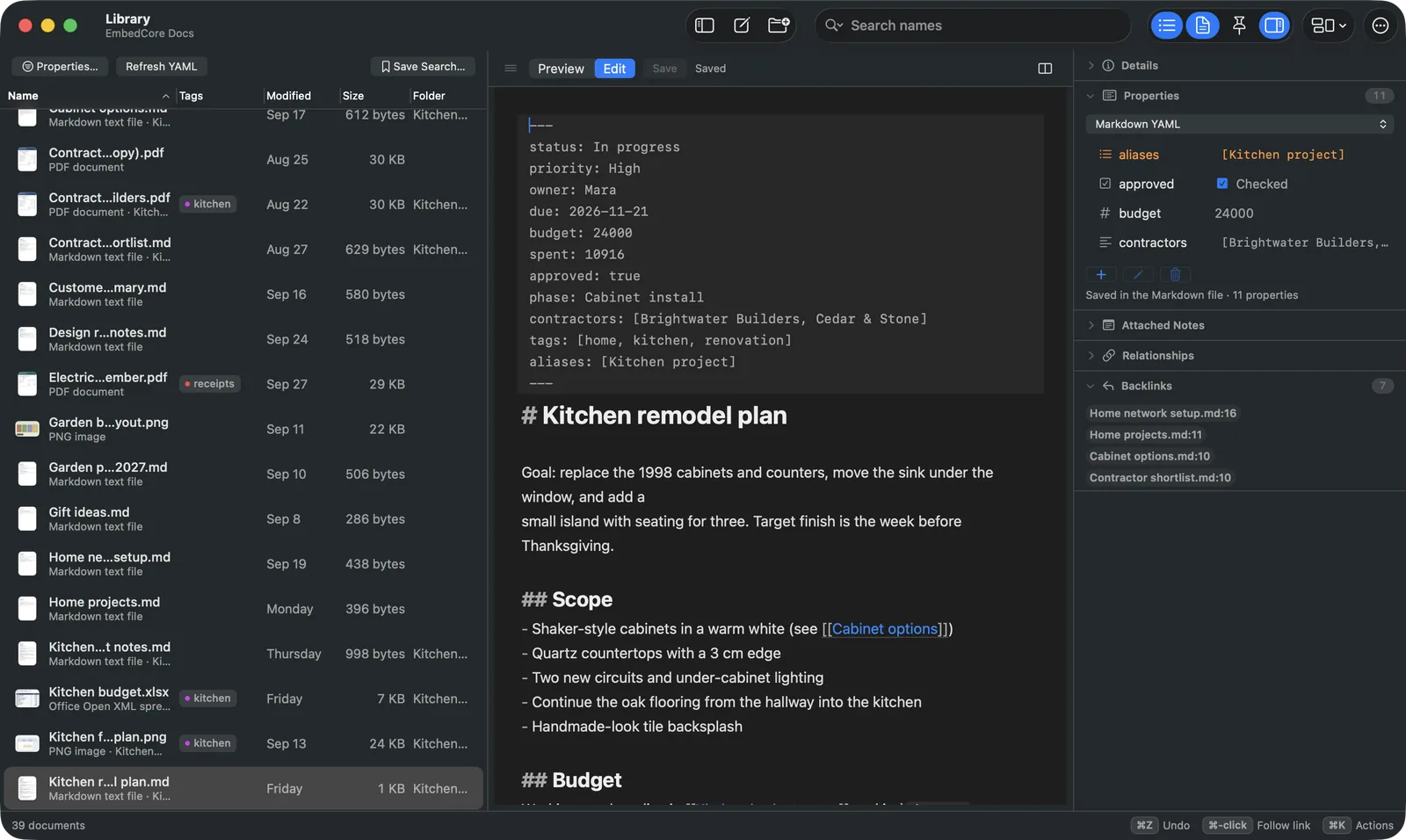
A Markdown note in Docs on macOS with front matter, a wiki link to another note, typed properties and a list of backlinks.
A note on macOS. Front matter, a wiki link to another note, typed properties and a list of backlinks.

03Pricing and licensing

Licensed on its own.

Kenrook Docs is sold separately from the other Kenrook apps, with its own pricing. Prices will be announced before launch.

For individuals

Personal license

For one person using Kenrook Docs for their own work.

To be announcedBefore launch

For businesses

Per-seat licenses

A license for each person on your team who uses Kenrook Docs.

To be announcedBefore launch

Get early access to Kenrook Docs.

Join the list to hear when early access opens and when pricing is announced.

Also from Kenrook.

Each Kenrook app is sold on its own and built on the same principles: your files stay on your computer, and you stay in charge of them.

  • Kenrook Redact

    Find names, numbers and other sensitive details, review each one, and export a clean copy.

    Explore Redact
  • Kenrook Launch

    Press a shortcut and type what you remember. Apps, file names and files that match what you mean, in one list.

    Explore Launch
  • Kenrook Music

    Search your music library by sound, mood or key, and find the tracks that belong together.

    Explore Music

Read the Kenrook principles