Kenrook Launch

App launcher and file search Press a shortcut. Type what you remember.

One window for everything on your computer. Matching apps, exact file names and files that match what you mean all land in the same list, before you finish typing.

Windows 11 + macOS · In development
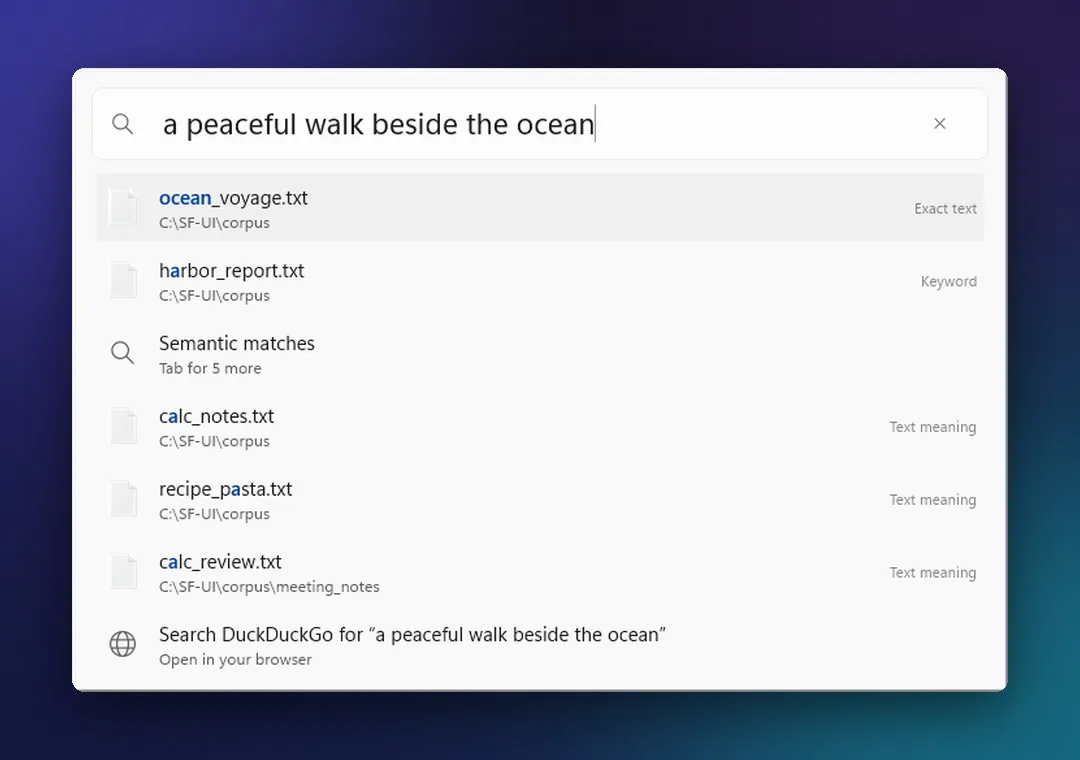
Fig. 1 / Launch · pre-release

Kenrook Launch on Windows 11 with the search “a peaceful walk beside the ocean”: a text file about an ocean voyage at the top, files that match by meaning below it, and a web search row at the bottom.
On Windows 11. Describe what you remember. Exact matches come first, then files that match by meaning.
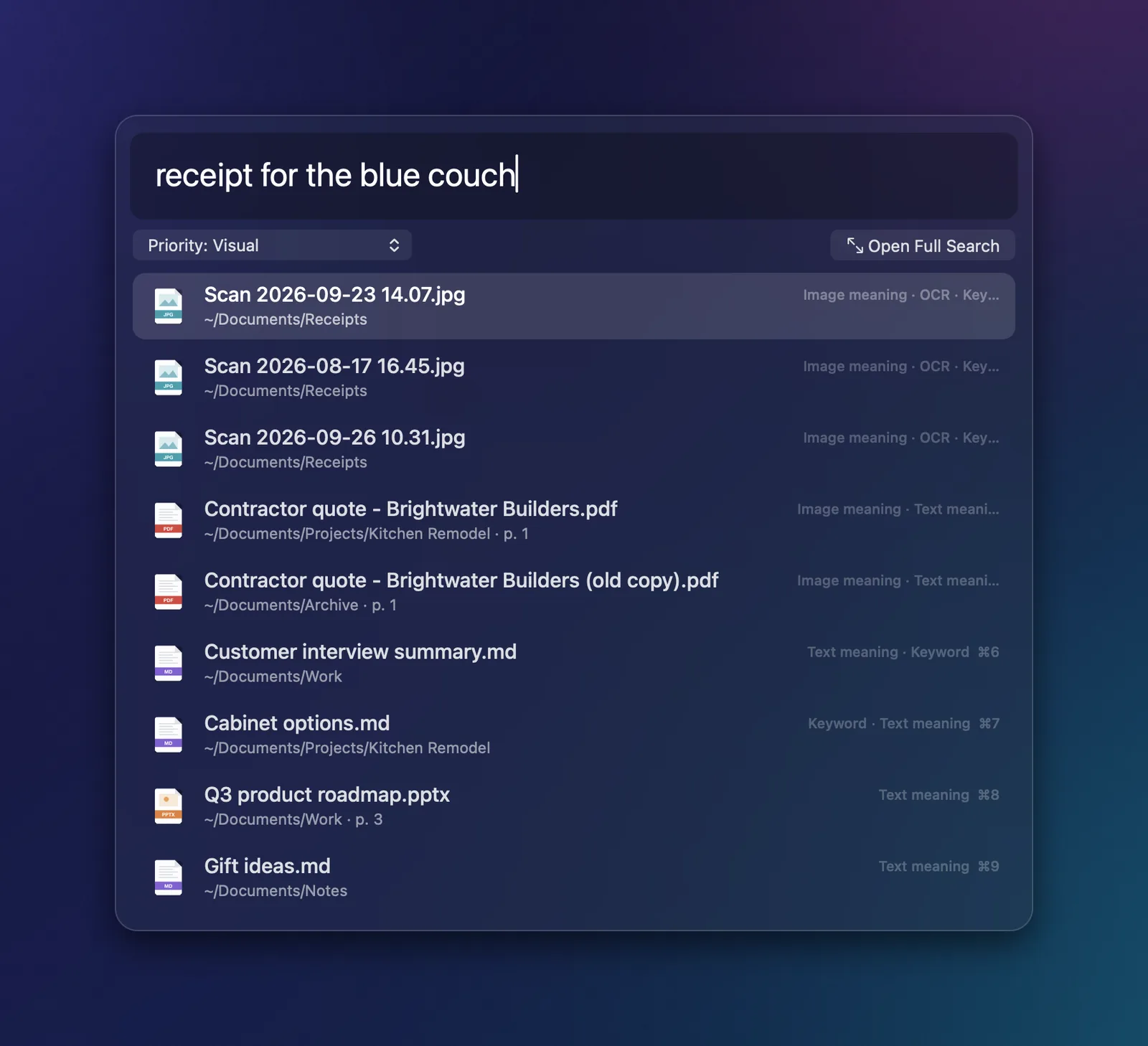
Kenrook Launch’s search panel on macOS with the query “receipt for the blue couch”, showing a scanned receipt as the top result.
On macOS. A scanned receipt comes up for “receipt for the blue couch”.

01What it does

Apps, files and meaning, in one list.

Launch reads what your files are about, not only what they’re called. Search with whatever you remember: a phrase, a topic, a detail in a photo.

Names, words and meaning together
Exact matches appear instantly, and files that match what you meant follow right behind them.
Reads scans, photos and slides
Text inside scanned PDFs, photos and presentations is searchable, and results point to the right page or slide.
Office files and PDFs, no Office needed
Word, Excel, PowerPoint, PDF, Markdown, text and more are read right on your computer.
Opens apps too
Your apps show up as you type, from the same shortcut. No digging through the Start menu or Launchpad.
Filters and duplicate spotting
Narrow results by file type, folder or date, and spot duplicate copies.
Search with a picture
Drop in an image to find similar photos and related documents. Needs the more thorough search setting.

02On every result

Act on any result from the keyboard.

Found it? Open the action panel and do the next thing without reaching for the mouse.
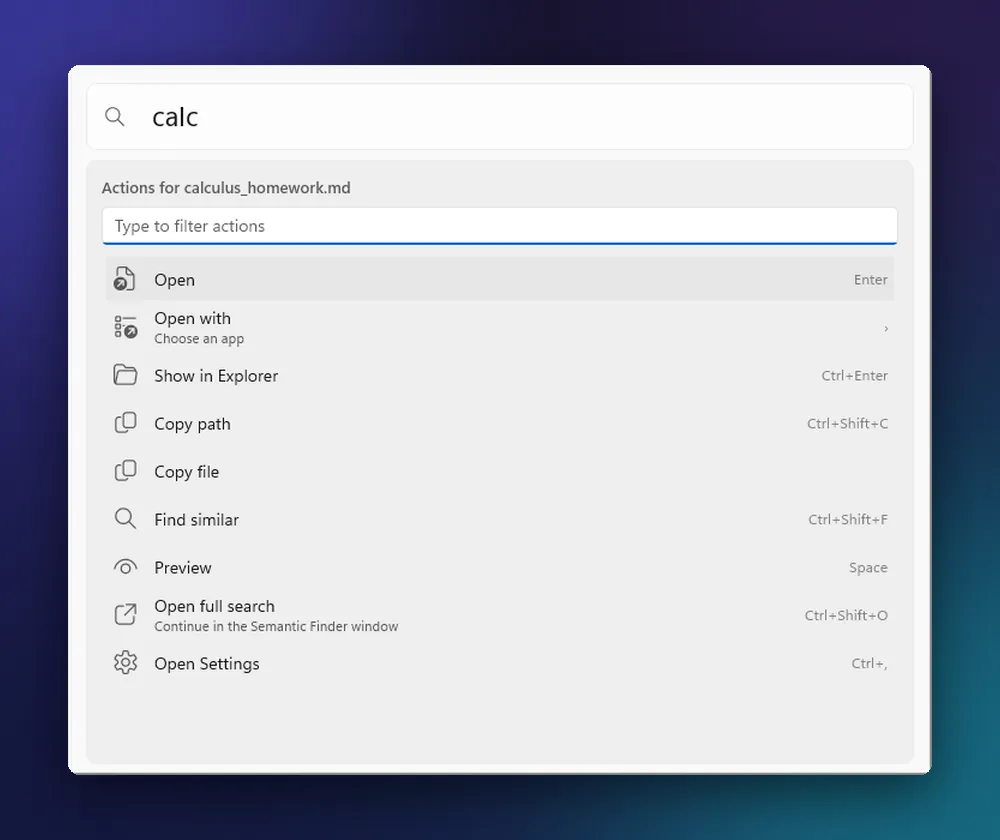
Open, or open with
Open in its usual app, or pick another one for this time.
Show in its folder
Jump straight to the file in File Explorer or Finder.
Copy the path or the file
Paste it into an email, a chat or a terminal.
Preview
Check it’s the right file before you open anything.

Fig. 2 / Actions on Windows 11 · pre-release

Kenrook Launch on Windows 11 with the action panel open for a Markdown file: Open, Open with, Show in Explorer, Copy path, Copy file, Find similar and Preview, each with its keyboard shortcut.
Actions on every result. Press Ctrl+K for Open, Open with, Show in Explorer, Copy path and Find similar.

Start from one file. Find its relatives.

Pick any result and ask for more like it. Launch lists the notes, drafts and documents that cover the same ground, even when they use different words.
  • CourseworkFound the assignment? Pull up the lecture notes and readings that go with it.
  • Client workOpen one note and see the quotes, drafts and meeting notes that belong with it.
  • Everything elseYou found one file. Now find the three you forgot you had.

Fig. 3 / Find similar on Windows 11 · pre-release

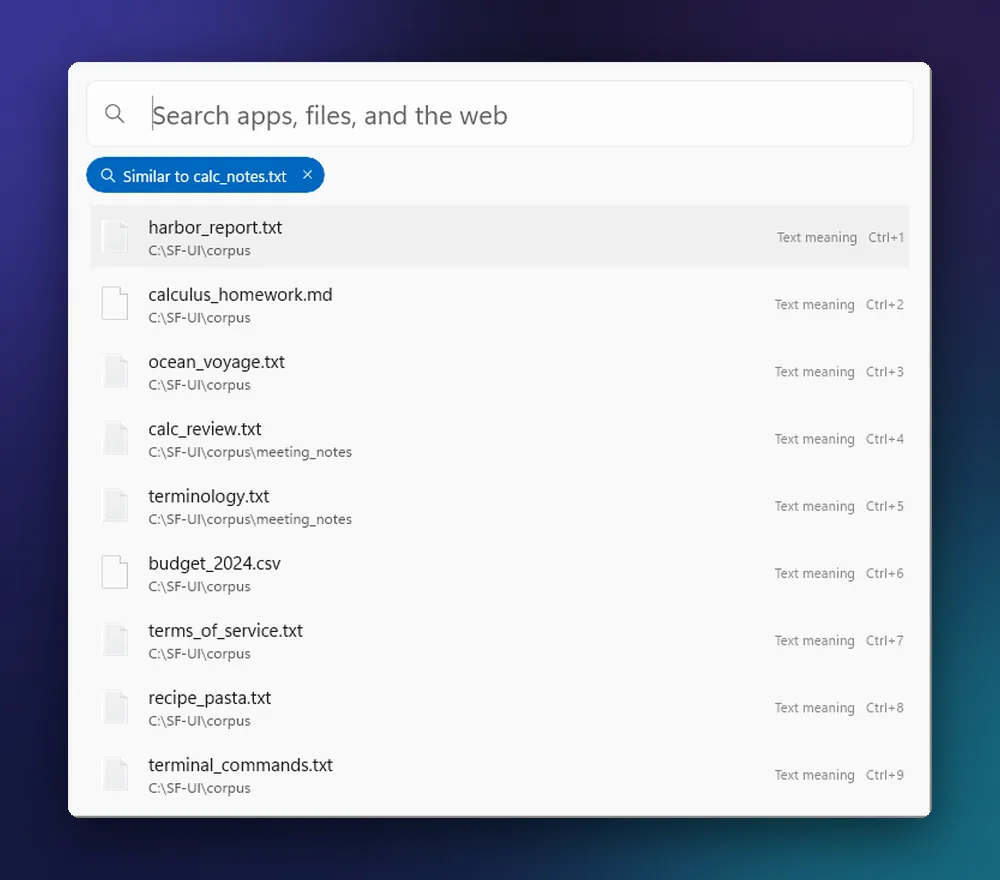
Kenrook Launch on Windows 11 showing a list of files similar to a notes file, under a “Similar to” label with a button to clear it.
“Similar to calc_notes.txt.” One file becomes a search for the files most like it.

03Pricing and licensing

Licensed on its own.

Kenrook Launch is sold separately from the other Kenrook apps, with its own pricing. Prices will be announced before launch.

For individuals

Personal license

For one person using Kenrook Launch for their own work.

To be announcedBefore launch

For businesses

Per-seat licenses

A license for each person on your team who uses Kenrook Launch.

To be announcedBefore launch

Get early access to Kenrook Launch.

Join the list to hear when early access opens and when pricing is announced.

Also from Kenrook.

Each Kenrook app is sold on its own and built on the same principles: your files stay on your computer, and you stay in charge of them.

  • Kenrook Docs

    Organize documents with collections, tags and Markdown notes, without moving a single file.

    Explore Docs
  • Kenrook Redact

    Find names, numbers and other sensitive details, review each one, and export a clean copy.

    Explore Redact
  • Kenrook Music

    Search your music library by sound, mood or key, and find the tracks that belong together.

    Explore Music

Read the Kenrook principles